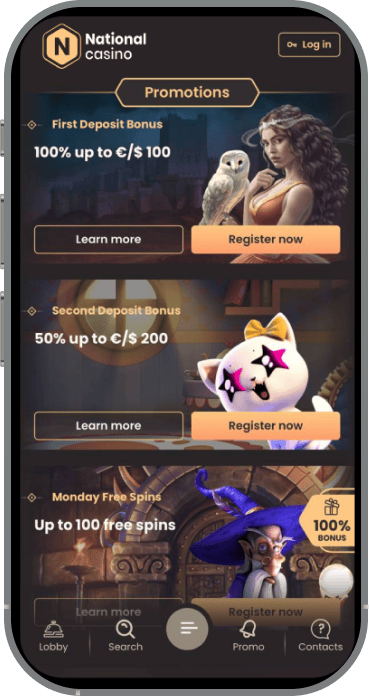
National Casino App for Android
Android users can download the National Casino app from the casino website. The installation file comes in APK format and has a size of 90 MB. It runs on compatible phones and tablets with Android 8 or a newer system version.
National Casino does not require you to use a third party APK catalogue. Get the file from the casino site instead. Unofficial download pages can create several risks:
- Login problems
- Payment security risks
- Installation errors
When accessing National Casino from Canada, check the website address before downloading any casino file. An unofficial page may distribute an outdated or modified APK that does not work correctly with your account.
How to Download National Casino Android?
Download the National Casino Android app through the mobile website. Follow these steps:
- Open the National Casino website in Chrome or another mobile browser.
- Find the Android app section in the site menu or mobile page.
- Tap the APK download button.
- Wait for the 90 MB file to finish downloading.
National Casino may display a short guide before the download begins. Follow the instructions on your screen. Keep the browser open until the APK has been saved.
How to Install on Android?
Once the National Casino APK is downloaded, install it from your device storage:
- Open the Downloads folder on your phone or tablet.
- Tap the National Casino APK file.
- Allow installation from your browser if Android requests permission.
- Confirm that you want to install the app.
- Wait for the process to finish.
- Launch National Casino from the confirmation screen or home screen.
You can switch off the external installation permission afterward. Doing so prevents other downloaded files from being installed without your approval.
Android Devices That Support National Casino
National Casino supports Android phones and tablets that meet the following requirements:
Wi Fi is useful for National Casino live casino streams because video tables can consume more data than slots. A reliable mobile connection also works. The interface generally loads quickly on older smartphones, although game images may appear faster on newer devices.
National Casino App for iOS
National Casino offers an iOS version for iPhone and iPad users accessing the platform from Canada. Installation begins through the casino website. The current iOS app version is 1.1.6, and the download size is 106.6 MB.
The National Casino iOS app includes:
- Casino games
- Deposits and withdrawals
- Active bonuses
- Account management tools
- Customer support
National Casino requires iOS 17.4 or later. The app has an 18+ age rating. Use the installation option shown on the casino website. This reduces the risk of expired links, unofficial copies, and incompatible software.
How to Download National Casino iOS?
Start the National Casino download on your iPhone or iPad as follows:
- Open the National Casino website in Safari.
- Find the iOS app section.
- Tap the available download option.
- Continue to the approved iOS installation page.
- Follow the instructions displayed on your device.
The National Casino file has a size of 106.6 MB. A slow mobile connection can extend the download time, so leave Safari open until it finishes.
How to Install on iPhone or iPad?
Follow the prompts shown by iOS to install National Casino:
- Confirm the installation request.
- Keep your iPhone or iPad connected to the internet.
- Wait until installation is complete.
- Find the National Casino icon on your home screen.
- Tap the icon to launch the app.
You can then sign in with an existing National Casino account. Registration is available if you have not created one yet.
National Casino Compatible iOS Devices
The National Casino iOS app runs on devices that meet these requirements:
Older iPhones and iPads that cannot update to iOS 17.4 will not support the current National Casino release. Leave some additional storage available during installation. Temporary files may require more space than the listed download size.
National Casino App Login Steps
You can log in to the National Casino app with the same account details used on the desktop site or mobile browser. Open the app and tap the login button. Enter your registered email or username and your password.
After you sign in, National Casino synchronises the main account information across your devices:
- Available balance
- Active bonuses
- Payment history
- Account status
You do not need a separate National Casino mobile account. If the first login attempt fails, check your credentials and try again. Some smartphone sessions may occasionally require more than one attempt. Avoid entering the wrong password repeatedly because this can activate a temporary security check.
How National Casino Updates Work
National Casino releases updates that can affect several parts of the mobile service. A new version may include:
- New casino games
- Added or revised payment options
- Security fixes
- Performance improvements
Updates can also alter the National Casino interface or add compatibility with recent Android and iOS releases. Android users should obtain each new APK from the casino website. On iOS, use the update route supplied through the same site.
An outdated National Casino app can affect:
- Game access
- Payment tools
- Login services
Leave enough free storage before updating. Do not install files from unknown APK platforms or links sent by unrelated third parties.
Benefits of the National Casino App
The National Casino app opens from a home screen icon. You do not need to launch a browser and enter the website address for every session. Its layout is adapted to smaller displays, with the main sections kept within easy reach.
You can use the National Casino app to:
- Browse the full mobile game catalogue
- Activate available bonuses
- Make deposits
- Request withdrawals
- Review account details
- Contact 24/7 live chat
Several aspects of the National Casino mobile experience work particularly well:
- Fast interface loading, including on many older smartphones
- Smooth performance without frequent freezes or crashes
- Easy navigation through slots and other sections
- Similar functionality on mobile and desktop
- Stable video streams in the live casino section
- Quick switching between live dealer tables
A few minor issues can still appear:
- Some interface elements may not respond to the first tap.
- Signing in from a smartphone can occasionally take several attempts.
- Game thumbnails may load more slowly than the rest of the interface.
The main differences between the National Casino app and mobile browser are shown below:
National Casino offers similar core functions through both access methods. Frequent players may prefer the app because it opens from the home screen. The browser suits devices with limited storage or anyone who does not want to install additional software.
National Casino Mobile Games Library
National Casino gives mobile players access to more than 1,000 games from 139 providers. The mobile lobby contains:
- Online slots
- Live casino games
- Roulette
- Blackjack
- Baccarat
- Other table games
- Instant games
- Casino tournaments
The full National Casino catalogue is available on supported phones and tablets. You can move between slot categories and live dealer tables without returning to the desktop site. Live video streams are generally stable, and changing tables takes little time.
Demo mode may be available for selected National Casino games. Access can depend on:
- The individual game
- Provider settings
- Your current account status when playing from Canada
Real money games remain restricted to adults aged 18 or older. Log in and finish any requested account checks before using payment related features.
Security in the National Casino App
National Casino protects account access with secure login systems and encrypted data transfers. The protected connection covers:
- Payment details
- Personal account data
National Casino may request identity documents through its KYC process. AML monitoring can apply to:
- Deposits
- Withdrawals
- Other payment activity
Before approving a payout, National Casino may ask you to verify:
- Your identity
- Your residential address
- Your payment method
For accounts used on the Canadian market, these checks connect the registered player with the submitted documents and payment method. They also confirm that the account and transaction details belong to the same person.
Download National Casino only from the casino website. Never install an APK received through:
- Private messages
- Online forums
- File sharing services
- Unofficial app directories
A modified or outdated National Casino file may expose your login and payment information.
National Casino Mobile Browser Access
You can use National Casino through a mobile browser without installing software. Compatible options include:
- Safari
- Google Chrome
- Mozilla Firefox
- Other modern mobile browsers
Log in with your usual National Casino account details and open the mobile lobby. The browser version includes:
- More than 1,000 games
- Bonuses
- Deposits
- Withdrawal requests
- Account settings
- 24/7 live chat
National Casino browser access supports:
- Android phones
- Android tablets
- iPhones
- iPads
Using the browser saves storage space and applies website updates automatically. The app offers faster entry for regular sessions, while the mobile site covers nearly all the same core functions.
Last Update: 7 August, 2026
Register Now